Contrast color schemes in branding

The 60-30-10 rule — not about beauty, but about load distribution
The 60-30-10 formula is not a designer's trick, but a way to not overload the eye. 60% is taken up by the main neutral color — the logo background, the website base, packaging. 30% is given to the additional color — the second most important element: headers, large interface blocks, secondary packaging. And only 10% — the accent color, which carries all the emotional load: the "Buy" button, a sale banner, a logo detail.
In a logo, this rule is often distorted — there the 60-30-10 proportions are simply impossible to physically apply on an area of a couple of centimeters. Therefore, the proportions are transferred to the system level: the logo can be two-color right away, while the third accent color lives only in the interface and advertising. IKEA is exactly like this: blue and yellow — the brand constant, while red for sales appears only in communications, never — in the logo itself.
Four types of contrast that need to be calculated separately
Designers often confuse color contrast with brightness contrast — and these are different things. Intense red and intense green can be visually equally 'heavy' if their brightness matches — then the eye will not see the boundary between them, although the hues are directly opposite. WCAG 2.1 measures brightness, not hue, and the minimum for text smaller than 18pt is 4,5:1, for large text — 3:1. For interface elements at the AA level, a ratio of 3:1 is required, and the AAA level raises the requirements to 7:1 and 4,5:1 respectively.
Every color has a visual weight — how 'heavy' it is perceived on a surface. This affects how much space can be given to it without losing balance.
| Color | Visual weight (1–10) | Recommended proportion in the composition |
|---|---|---|
| Yellow | 9 | Minimum — accent or narrow strip |
| Orange | 8 | Accent, no more than 10–15% |
| Red | 6 | Medium, up to 20-30% |
| Green | 6 | Medium, up to 30% |
| Blue | 4 | May occupy the main area |
| Violet | 3 | Works well as a background base |
Temperature contrast (warm versus cool) and tonal contrast (light versus dark) work together with brightness contrast, but they cannot be mechanically stacked. Often it is the temperature difference — blue and orange, purple and orange — that gives the maximum sense of 'inclusion', even if the brightness of the colors is similar. This is the zone where complementary pairs show themselves best.
IKEA case: how a country flag became a navigation system
IKEA took the blue #0058A3 and yellow #FFDA1A — a direct complementary pair from the Swedish flag. At first glance, the solution appears to be a random patriotic gesture. In fact, it is a working navigation system: blue forms the background and structure — store walls, department signs, catalog packaging — while yellow marks specific points of attention — price, discount, logo at the entrance. The contrast here works not aesthetically but functionally: the shopper instantly understands where to find the price and where the department name.
Separately in this system lives a red #CC0008 — a color that is not in the main pair, but which is included only for one task: sale. This is a classic trick — to keep the basic pair stable, and reserve a third accent color for one specific action, so that it does not blur recognizability. FedEx does the same with the purple #351C15 and orange #FF6600: purple is the company's constant, orange is a dynamic element that changes depending on the service. McDonald's, in turn, builds contrast on a warm pair of red #DA291C and yellow #FFC72C — a combination that physiologically stimulates appetite, not just 'catches the eye'.
How to build a contrasting palette from scratch — a step-by-step process
Most materials on this topic explain where contrast is appropriate, but do not provide an algorithm for building it independently. Here is a working sequence used in practice:
- Choose the main brand color — the one that will occupy 60% of the area. Check its brightness on the relative luminance scale, not 'by eye'.
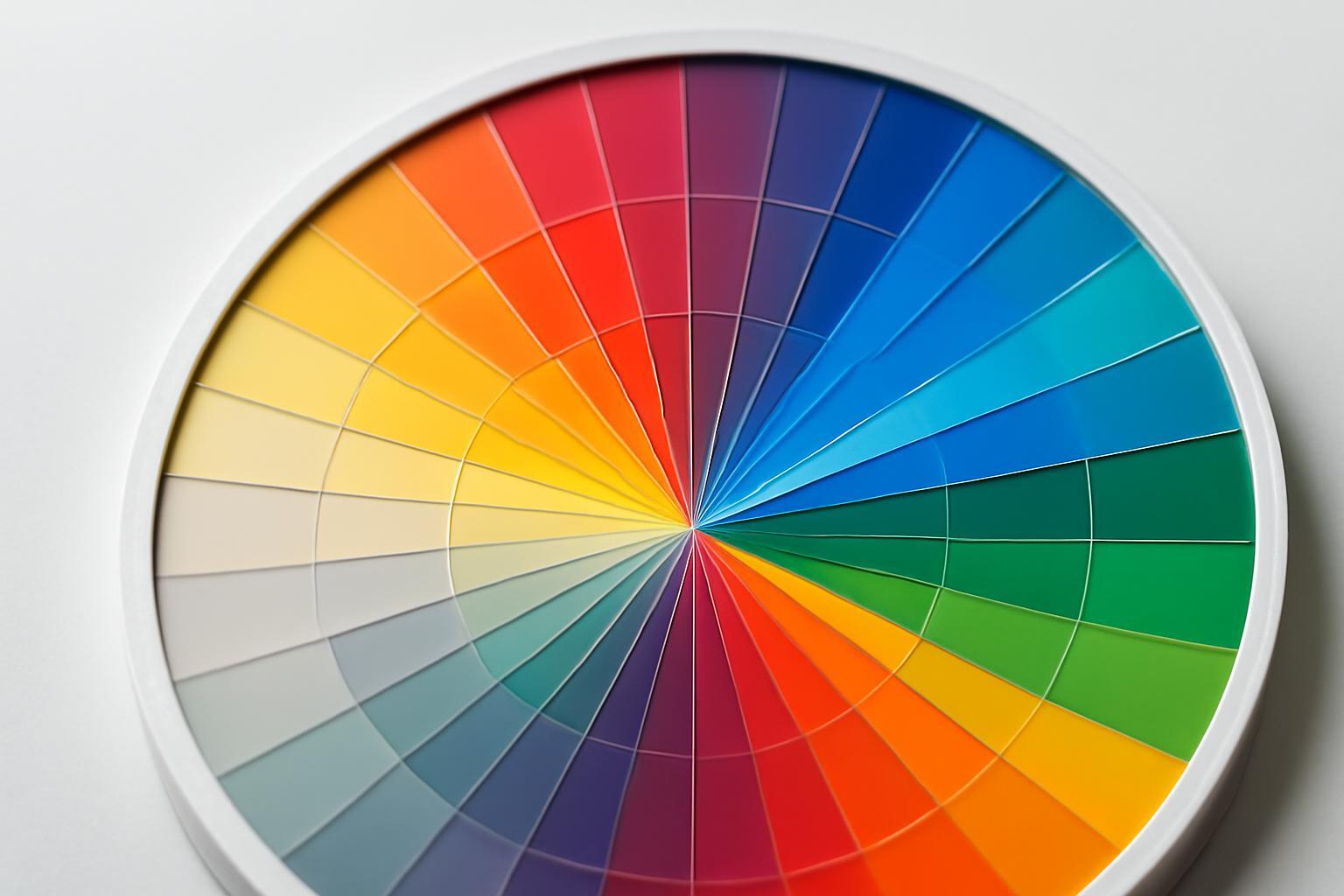
- Find a complementary pair on the color wheel and immediately check the difference in brightness — if it is less than 3:1, the pair will not provide readable contrast even with different tints.
- Determine the visual weight of both colors according to the table above and adjust the proportions: a heavy color (yellow, orange) cannot occupy 60% even if it is 'primary' in terms of brand meaning.
- Plan a third accent color separately from the base pair — for a specific function (action, sale, error), not just as 'another pretty tint'.
- Compile monochromatic variants of each color — lighter and darker by 10-15% — for logo inversion on dark and light backgrounds. This is not an automatic operation: contrast can visually 'collapse' during inversion due to peculiarities of optical perception, so each variant must be viewed separately, not calculated by formula.
- If the brand does not need a bright emotional contrast, consider a monochromatic scheme with one accent — black, white, and one color. This is how palettes are built at Stripe, Linear, and Vercel: there is contrast, but without visual shock, thanks to differences in saturation and lightness rather than hue.
Checking the palette on screen, in print, and under poor lighting
A palette that looks contrastive on a calibrated designer's monitor often loses its effect in real conditions. Checklist for verification before final approval:
- Check the contrast ratio with a tool to ensure it matches 4,5:1 (regular text) and 3:1 (large text and interface elements) — do not rely on visual assessment.
- It is important to separately verify the AAA level (7:1 and 4,5:1) if the brand works with an audience that has poor vision — for example, in medicine or the public sector.
- Output the palette in CMYK and check the color proof — RGB orange and blue often lose their brightness contrast when converted to printed inks, especially on offset printing without Pantone.
- Check the logo on both a white and a dark background separately — inversion does not guarantee automatic contrast preservation.
- Test the interface on a smartphone screen under bright sunlight — many modern applications use adaptive contrast, automatically increasing the brightness contrast for such conditions, and if the brand does not work with this option, the palette should be designed with sufficient contrast from the start.
- Printing a sample on a regular office printer — a rough check, but it quickly reveals pairs that 'blend' on low-quality paper.
Mistakes that most often kill a contrasting palette
- Evaluating contrast by color tone rather than brightness — saturated red and saturated green with the same lightness are not visually distinguishable, although formally they are opposite colors.
- Allocating 60% of the area to a 'heavy' color — yellow or orange — simply because it is the main meaningful color of the brand. Weight needs to be balanced by proportion, not by logic of significance.
- Not checking the logo inversion separately, assuming that it will 'just work' after inverting the layer in the file.
- Ignoring CMYK checks and relying on the palette only by screen — offset printing almost always reduces the brightness difference between colors.
- Using an accent color too frequently — if 10% turn into 30%, it loses its function as a signal and becomes background.
- Copying someone else's complementary pair without checking the context — blue-orange works as navigation for one brand, while for another it will simply be read as borrowing without function.
The 60-30-10 rule — not about beauty, but about load distribution
The 60-30-10 formula is not a designer's trick, but a way to not overload the eye. 60% is taken up by the main neutral color — the logo background, the website base, packaging. 30% is given to the additional color — the second most important element: headers, large interface blocks, secondary packaging. And only 10% — the accent color, which carries all the emotional load: the "Buy" button, a sale banner, a logo detail.
In a logo, this rule is often distorted — there the 60-30-10 proportions are simply impossible to physically apply on an area of a couple of centimeters. Therefore, the proportions are transferred to the system level: the logo can be two-color right away, while the third accent color lives only in the interface and advertising. IKEA is exactly like this: blue and yellow — the brand constant, while red for sales appears only in communications, never — in the logo itself.
Four types of contrast that need to be calculated separately
Designers often confuse color contrast with brightness contrast — and these are different things. Intense red and intense green can be visually equally 'heavy' if their brightness matches — then the eye will not see the boundary between them, although the hues are directly opposite. WCAG 2.1 measures brightness, not hue, and the minimum for text smaller than 18pt is 4,5:1, for large text — 3:1. For interface elements at the AA level, a ratio of 3:1 is required, and the AAA level raises the requirements to 7:1 and 4,5:1 respectively.
Every color has a visual weight — how 'heavy' it is perceived on a surface. This affects how much space can be given to it without losing balance.
| Color | Visual weight (1–10) | Recommended proportion in the composition |
|---|---|---|
| Yellow | 9 | Minimum — accent or narrow strip |
| Orange | 8 | Accent, no more than 10–15% |
| Red | 6 | Medium, up to 20-30% |
| Green | 6 | Medium, up to 30% |
| Blue | 4 | May occupy the main area |
| Violet | 3 | Works well as a background base |
Temperature contrast (warm versus cool) and tonal contrast (light versus dark) work together with brightness contrast, but they cannot be mechanically stacked. Often it is the temperature difference — blue and orange, purple and orange — that gives the maximum sense of 'inclusion', even if the brightness of the colors is similar. This is the zone where complementary pairs show themselves best.
IKEA case: how a country flag became a navigation system
IKEA took the blue #0058A3 and yellow #FFDA1A — a direct complementary pair from the Swedish flag. At first glance, the solution appears to be a random patriotic gesture. In fact, it is a working navigation system: blue forms the background and structure — store walls, department signs, catalog packaging — while yellow marks specific points of attention — price, discount, logo at the entrance. The contrast here works not aesthetically but functionally: the shopper instantly understands where to find the price and where the department name.
Separately in this system lives a red #CC0008 — a color that is not in the main pair, but which is included only for one task: sale. This is a classic trick — to keep the basic pair stable, and reserve a third accent color for one specific action, so that it does not blur recognizability. FedEx does the same with the purple #351C15 and orange #FF6600: purple is the company's constant, orange is a dynamic element that changes depending on the service. McDonald's, in turn, builds contrast on a warm pair of red #DA291C and yellow #FFC72C — a combination that physiologically stimulates appetite, not just 'catches the eye'.
How to build a contrasting palette from scratch — a step-by-step process
Most materials on this topic explain where contrast is appropriate, but do not provide an algorithm for building it independently. Here is a working sequence used in practice:
- Choose the main brand color — the one that will occupy 60% of the area. Check its brightness on the relative luminance scale, not 'by eye'.
- Find a complementary pair on the color wheel and immediately check the difference in brightness — if it is less than 3:1, the pair will not provide readable contrast even with different tints.
- Determine the visual weight of both colors according to the table above and adjust the proportions: a heavy color (yellow, orange) cannot occupy 60% even if it is 'primary' in terms of brand meaning.
- Plan a third accent color separately from the base pair — for a specific function (action, sale, error), not just as 'another pretty tint'.
- Compile monochromatic variants of each color — lighter and darker by 10-15% — for logo inversion on dark and light backgrounds. This is not an automatic operation: contrast can visually 'collapse' during inversion due to peculiarities of optical perception, so each variant must be viewed separately, not calculated by formula.
- If the brand does not need a bright emotional contrast, consider a monochromatic scheme with one accent — black, white, and one color. This is how palettes are built at Stripe, Linear, and Vercel: there is contrast, but without visual shock, thanks to differences in saturation and lightness rather than hue.
Checking the palette on screen, in print, and under poor lighting
A palette that looks contrastive on a calibrated designer's monitor often loses its effect in real conditions. Checklist for verification before final approval:
- Check the contrast ratio with a tool to ensure it matches 4,5:1 (regular text) and 3:1 (large text and interface elements) — do not rely on visual assessment.
- It is important to separately verify the AAA level (7:1 and 4,5:1) if the brand works with an audience that has poor vision — for example, in medicine or the public sector.
- Output the palette in CMYK and check the color proof — RGB orange and blue often lose their brightness contrast when converted to printed inks, especially on offset printing without Pantone.
- Check the logo on both a white and a dark background separately — inversion does not guarantee automatic contrast preservation.
- Test the interface on a smartphone screen under bright sunlight — many modern applications use adaptive contrast, automatically increasing the brightness contrast for such conditions, and if the brand does not work with this option, the palette should be designed with sufficient contrast from the start.
- Printing a sample on a regular office printer — a rough check, but it quickly reveals pairs that 'blend' on low-quality paper.
Mistakes that most often kill a contrasting palette
- Evaluating contrast by color tone rather than brightness — saturated red and saturated green with the same lightness are not visually distinguishable, although formally they are opposite colors.
- Allocating 60% of the area to a 'heavy' color — yellow or orange — simply because it is the main meaningful color of the brand. Weight needs to be balanced by proportion, not by logic of significance.
- Not checking the logo inversion separately, assuming that it will 'just work' after inverting the layer in the file.
- Ignoring CMYK checks and relying on the palette only by screen — offset printing almost always reduces the brightness difference between colors.
- Using an accent color too frequently — if 10% turn into 30%, it loses its function as a signal and becomes background.
- Copying someone else's complementary pair without checking the context — blue-orange works as navigation for one brand, while for another it will simply be read as borrowing without function.
Recent articles




MegaFon, BMW, VTB and more 240+ companies. See how it looks in the showcase reel:






Our branding agency is approached to order:
Branding agency services












